It’s Your Flower Delivery Helper!
Hana Delivery Network is here to ensure you meet the high order volume, reduce anxiety/stress around dispatch management, and ensure your customers receive their flowers on time. With on-demand availability of last-mile delivery drivers and seamless integration into your Hana POS, you can take on more orders confidently and focus on creating beautiful arrangements.
Please note: HDN is in beta, and we will be trying it out, seeking feedback, and improving it over the next few weeks in time for Mother's Day.
Overview of how it works
1. Join HDN from the Dispatch menu on top.
2. Add credit card: Go to HDN and add your credit card to the file.
3. Choose Delivery Services: You can choose which delivery services you wish to use ( Uber, DoorDash, and others are available).
4. Automatic or manual driver assignment? Decide if you want to automate the whole process or manually check each delivery and accept their quote.
5. Dispatch from Hana to HDN driver.
6. That's it!, done. Once you dispatch to HDN, your delivery is taken care of with timely updates in Hana POS.
Below are the more detailed guidelines.
Step 1: Join Hana Delivery Network
Follow these simple steps to start using Hana Delivery Network:
Log in to your POS and click "Join Hana Delivery Network."
Open your POS dashboard and look for the dispatch dropdown.
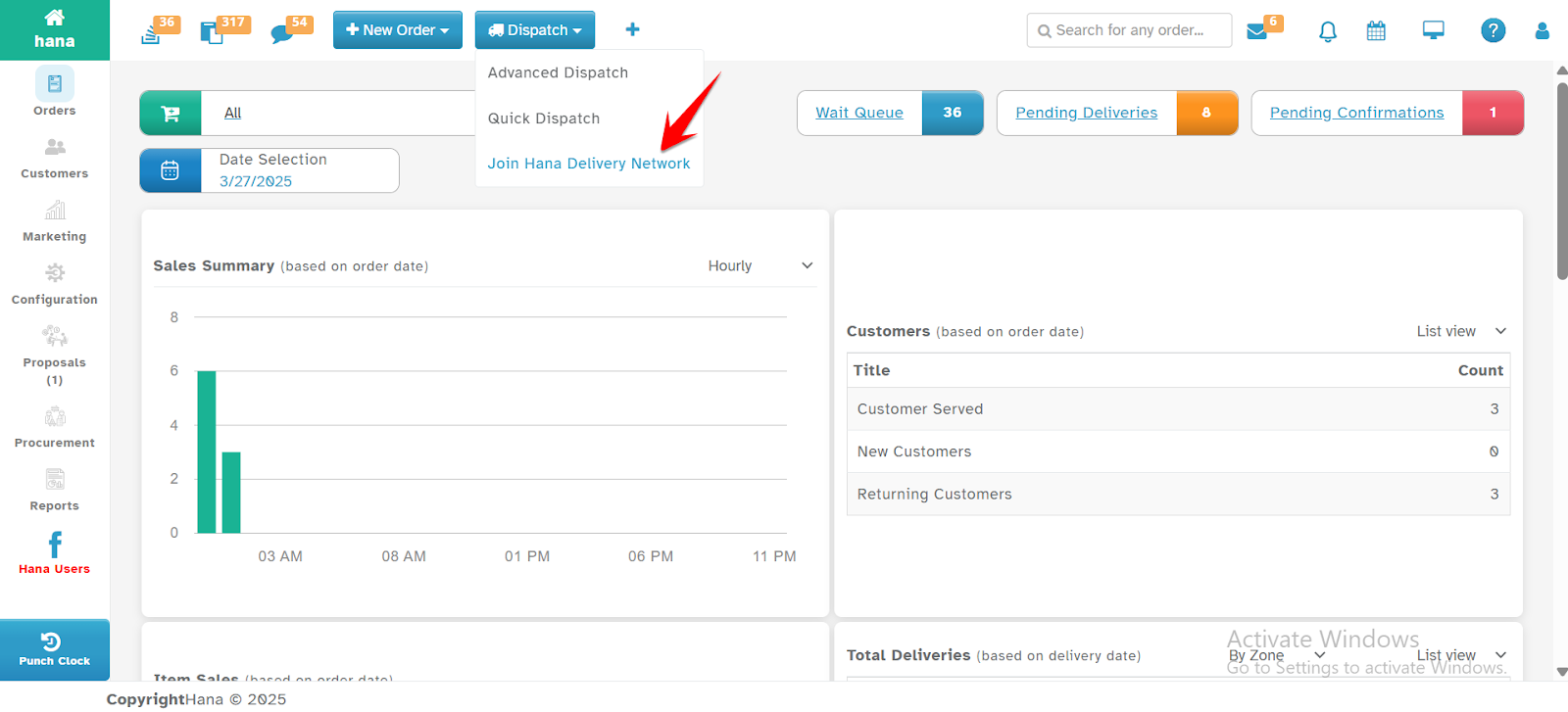
Click "Join Hana Delivery Network."
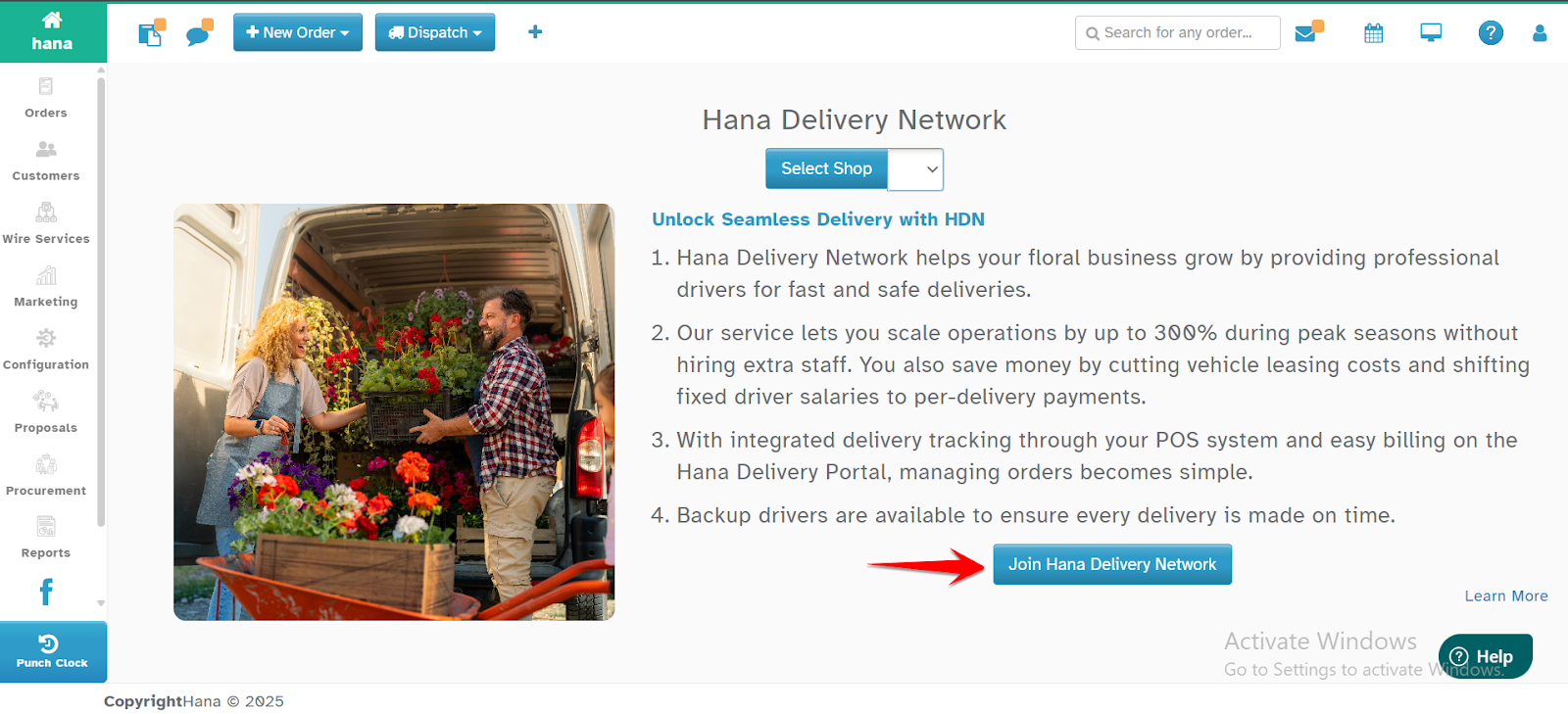
Step 2: Setting Up Hana Delivery Network
Once redirected to the Hana Delivery Network Portal, follow these steps to complete the setup:
Step 2a Company & Location Setup
Set up your company’s location, which is the branch or address where deliveries will be picked up
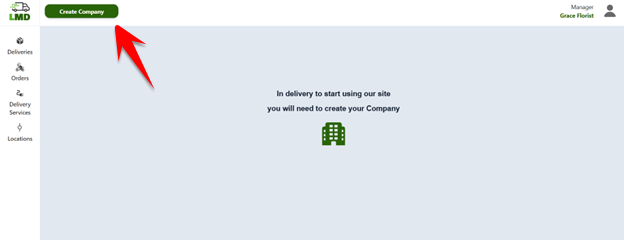
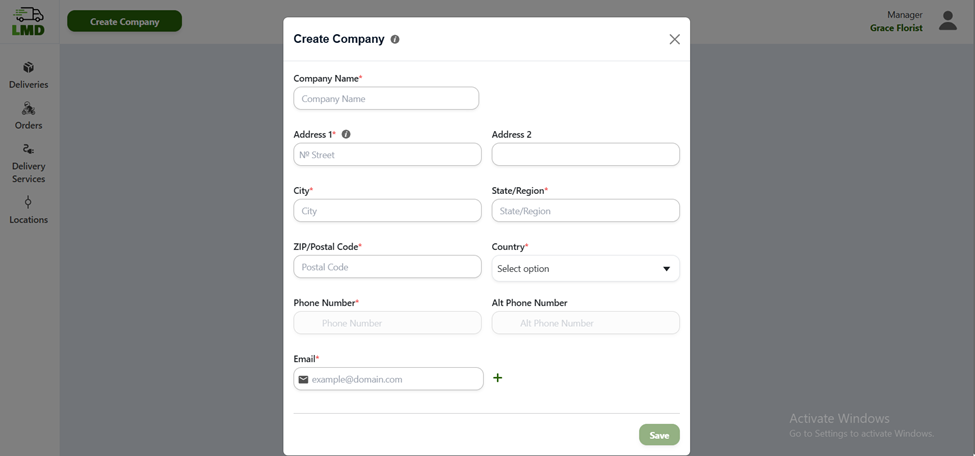
Step 2b: Payment Setup: Add a payment card for processing transactions. The system will automatically charge your card for delivery fees.
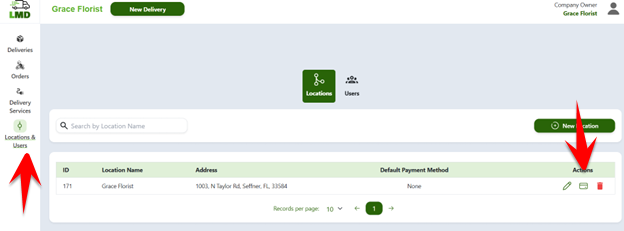
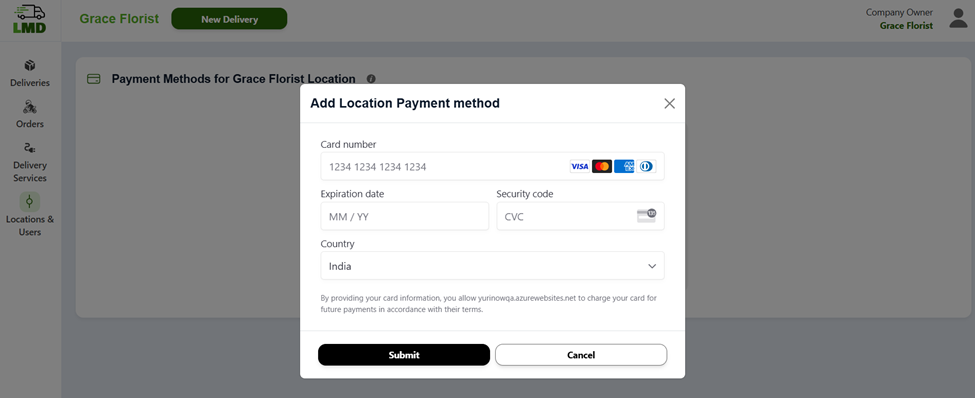
Step 2c Delivery Mode Setup & selection of Delivery partners
Choose your preferred delivery mode:
- Manual: This option lets you choose delivery services by reviewing quotes from multiple delivery service providers (DS).
- Automatic (Recommended): The system automatically selects the best delivery service based on your priority preferences for delivery services.
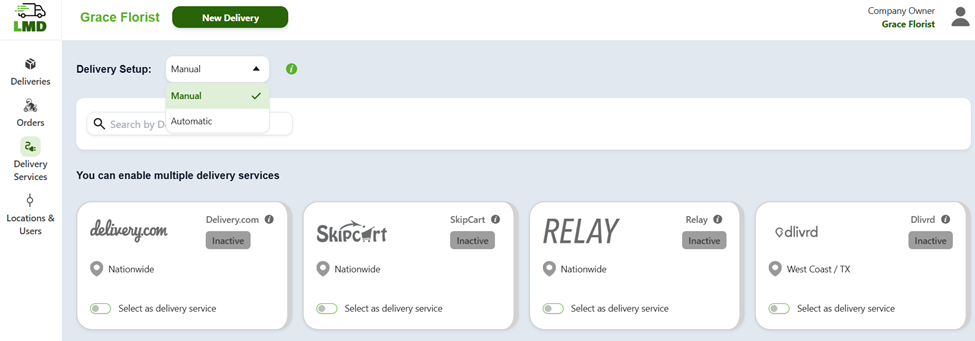
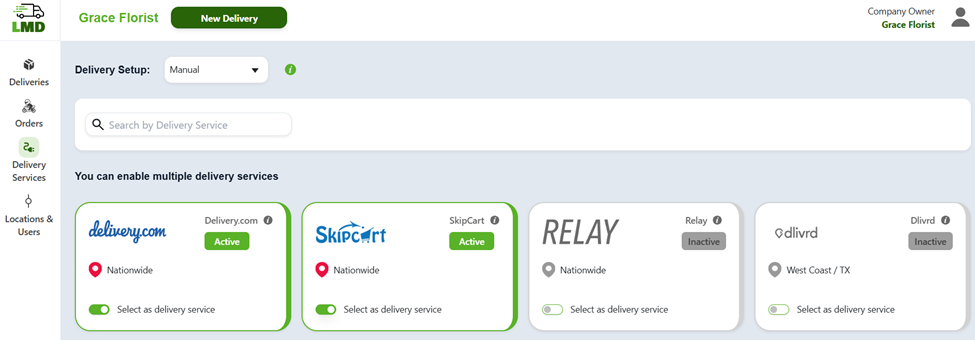
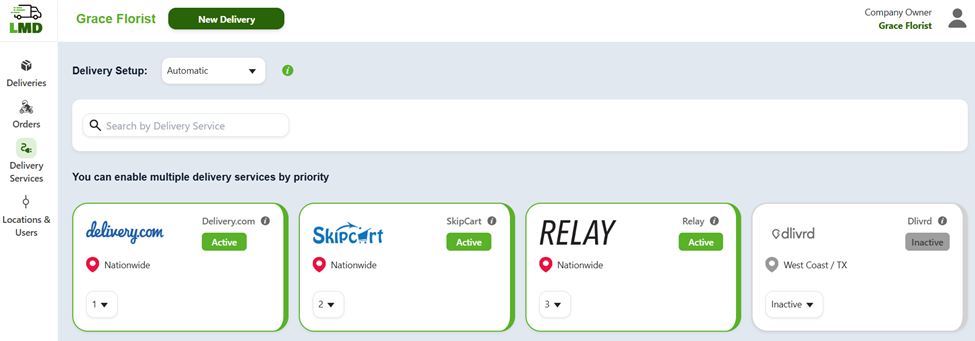
Tip: For a smoother experience, we strongly recommend selecting the Automatic option and setting the priority of desired Delivery Services. This simplifies the process of assigning delivery services and managing deliveries directly from Hana POS without needing to interact with the Hana Delivery Network.
Step 2d: Delivery Tracking
Once your deliveries are created and sent to the Hana Delivery Network (HDN), you can track their status within the Hana POS system. If you’d like to review the details of your deliveries in HDN, you can visit the "Deliveries" screen, where all your deliveries will be listed along with their respective information.
Step 3: Dispatch Orders with Hana Delivery Network
Once you've set up your payment method and completed the delivery setup in Hana Delivery Network, you're ready to dispatch orders!
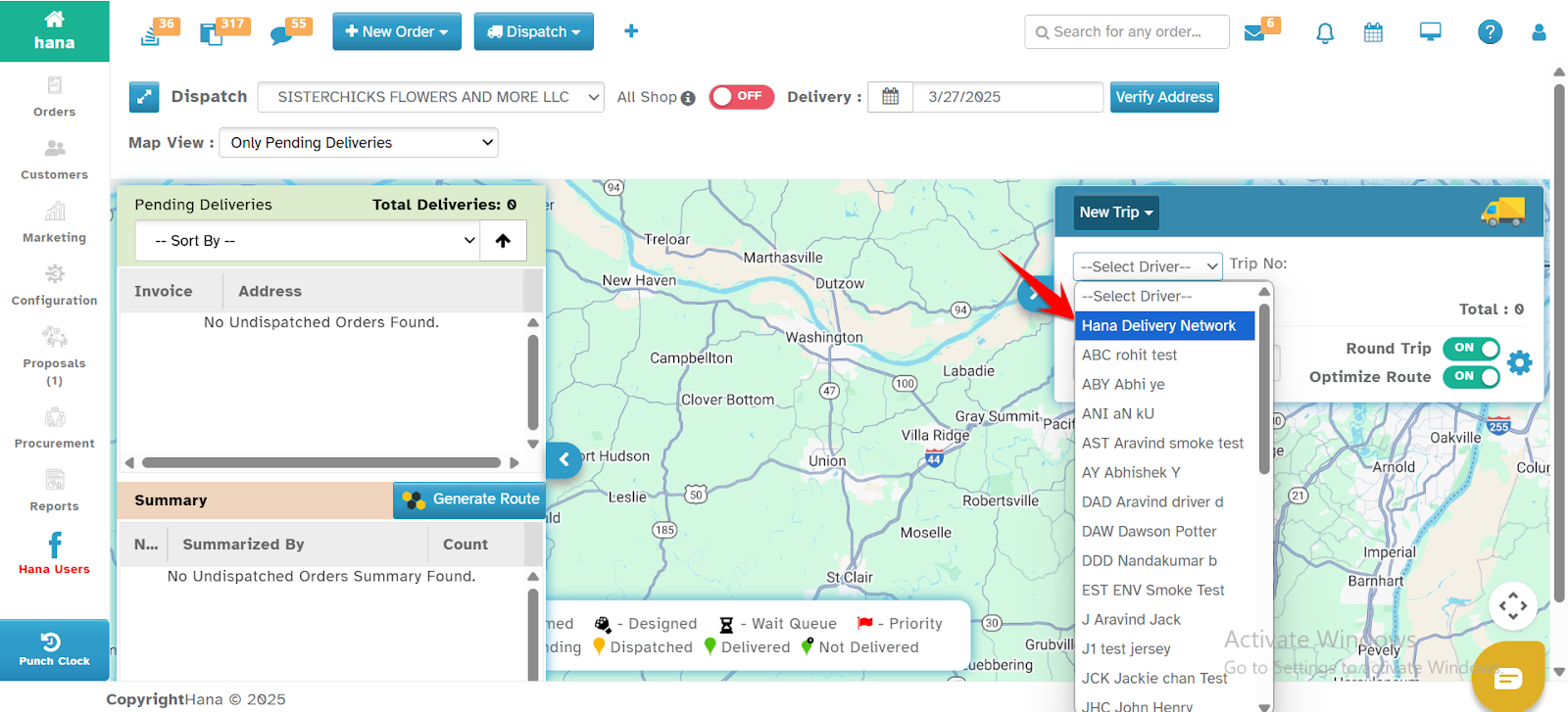
Go to the Advanced / Quick Dispatch page in your POS.
On the New Trip section click on Select Driver option.
Choose Hana Delivery Network as your delivery driver.
Proceed with the dispatch process, and Hana will take care of the delivery!
Step 4: Order Finalization & Dispatch
No Edits After Dispatch – Once delivery is assigned to Hana Delivery Network, it cannot be modified in the POS.
No Deletion Allowed – Assigned deliveries cannot be deleted from the system.
Review Before Dispatch – Double-check the details before assigning to avoid errors.
Step 5: Payment Process for Dispatch
Automatic Payment for each delivery: Every time you assign a dispatch to Hana Delivery Network, the delivery fee is automatically charged to your registered payment method (e.g., credit card).
Variable Charges: The delivery fee depends on the delivery partner who accepts the order, so that pricing may vary.
Was this article helpful?
That’s Great!
Thank you for your feedback
Sorry! We couldn't be helpful
Thank you for your feedback
Feedback sent
We appreciate your effort and will try to fix the article