What’s New?
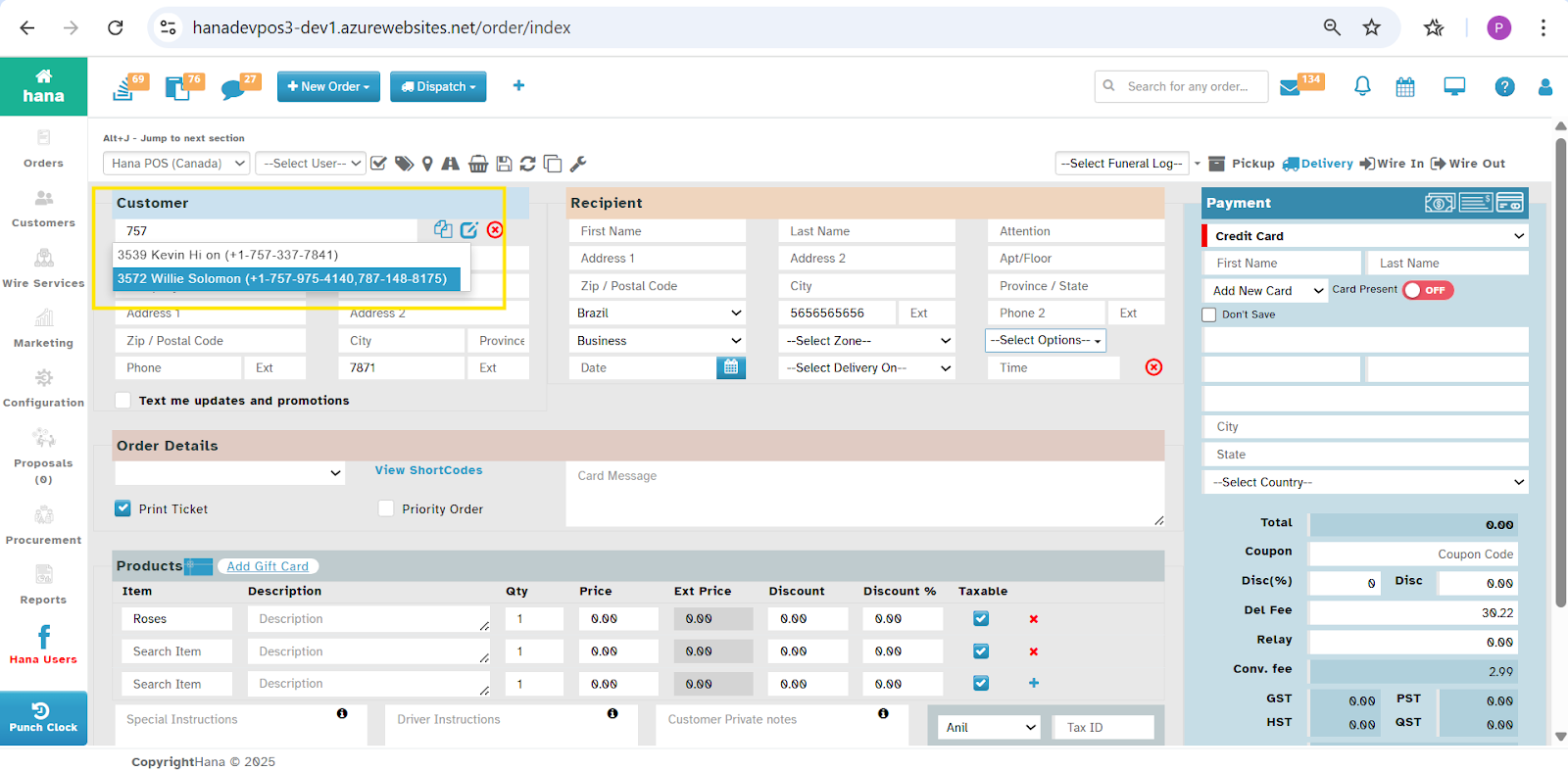
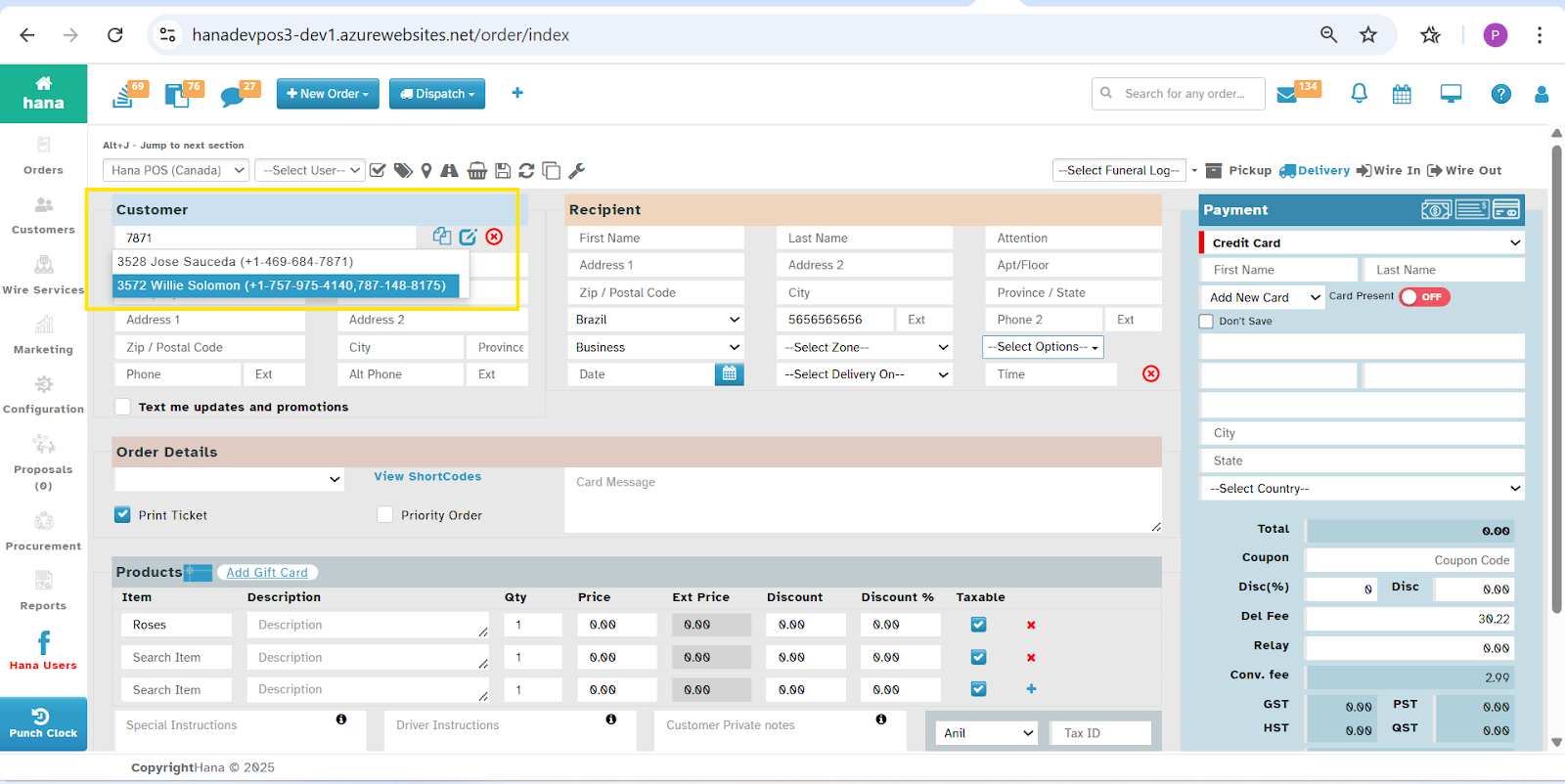
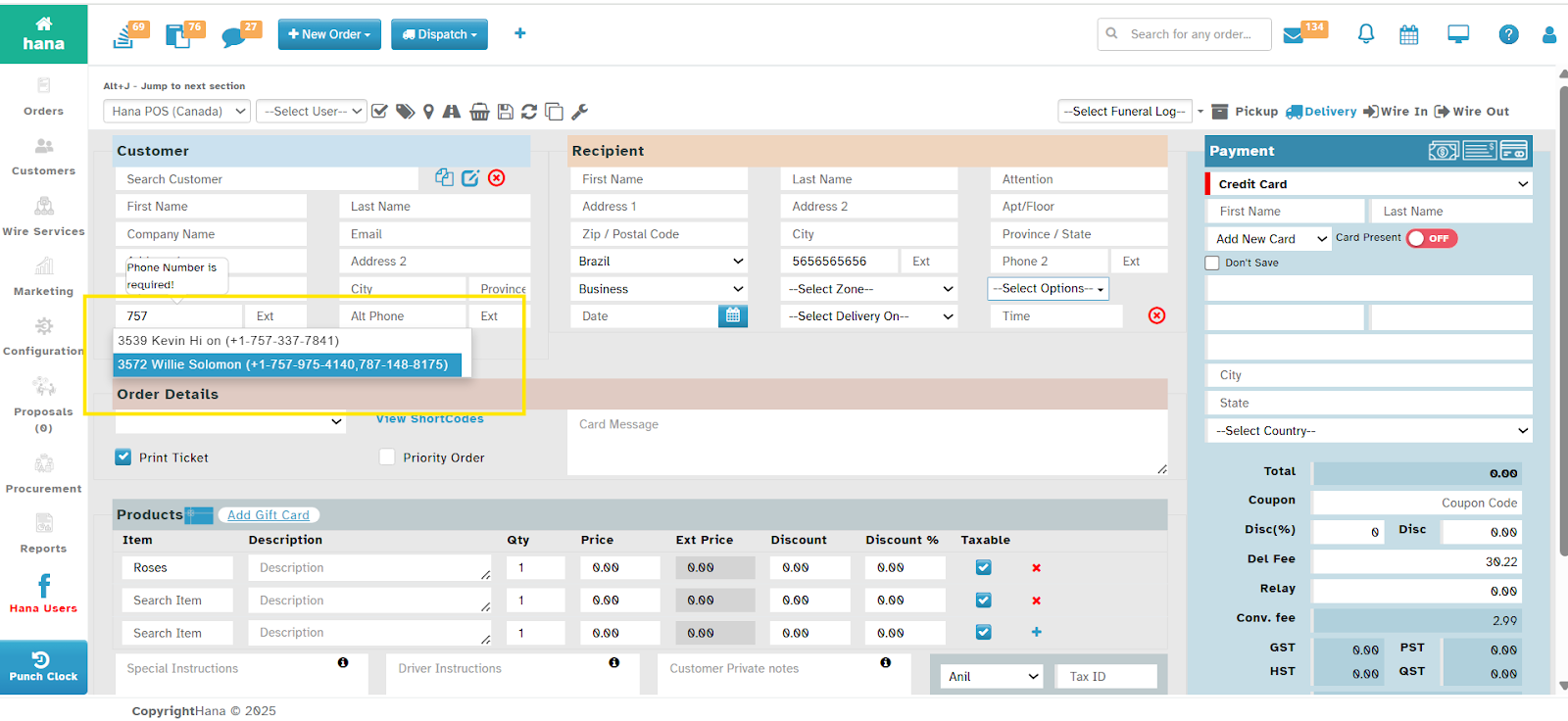
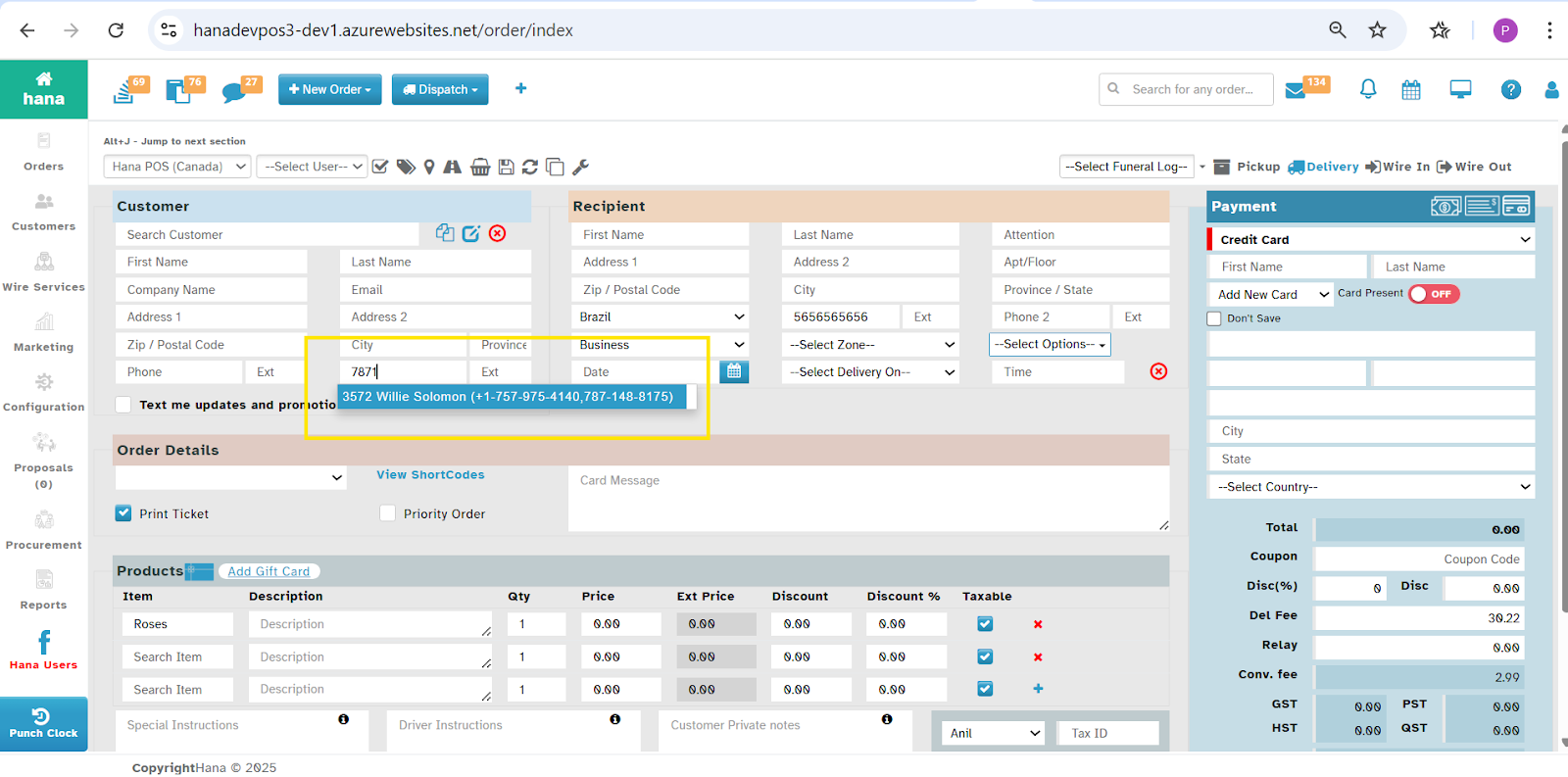
Searching the Customers with their Phone numbers in Phone Orders Page and Customers Page. This will allow the florist to search the Customers with their Phone number and Alternate Phone number.
In Phone Order Page:
Navigation:
Dashboard → New Order → Order Entry
How it Works?
Enter the Customer's Phone Number or Alternate Phone Number in the Customer Search box
Why This Helps?
This will allow the Florist to search the customer with their Primary Phone Number and Alternate Phone Number in Phone Order Screen
In Phone Order Screen - Customer Search Text box:
In Phone Order Screen - Primary Phone Number Text box:
In Phone Order Screen - Alternate Phone Number Text Box:
In Customer Management:
Navigation
Dashboard → Customers
How it Works
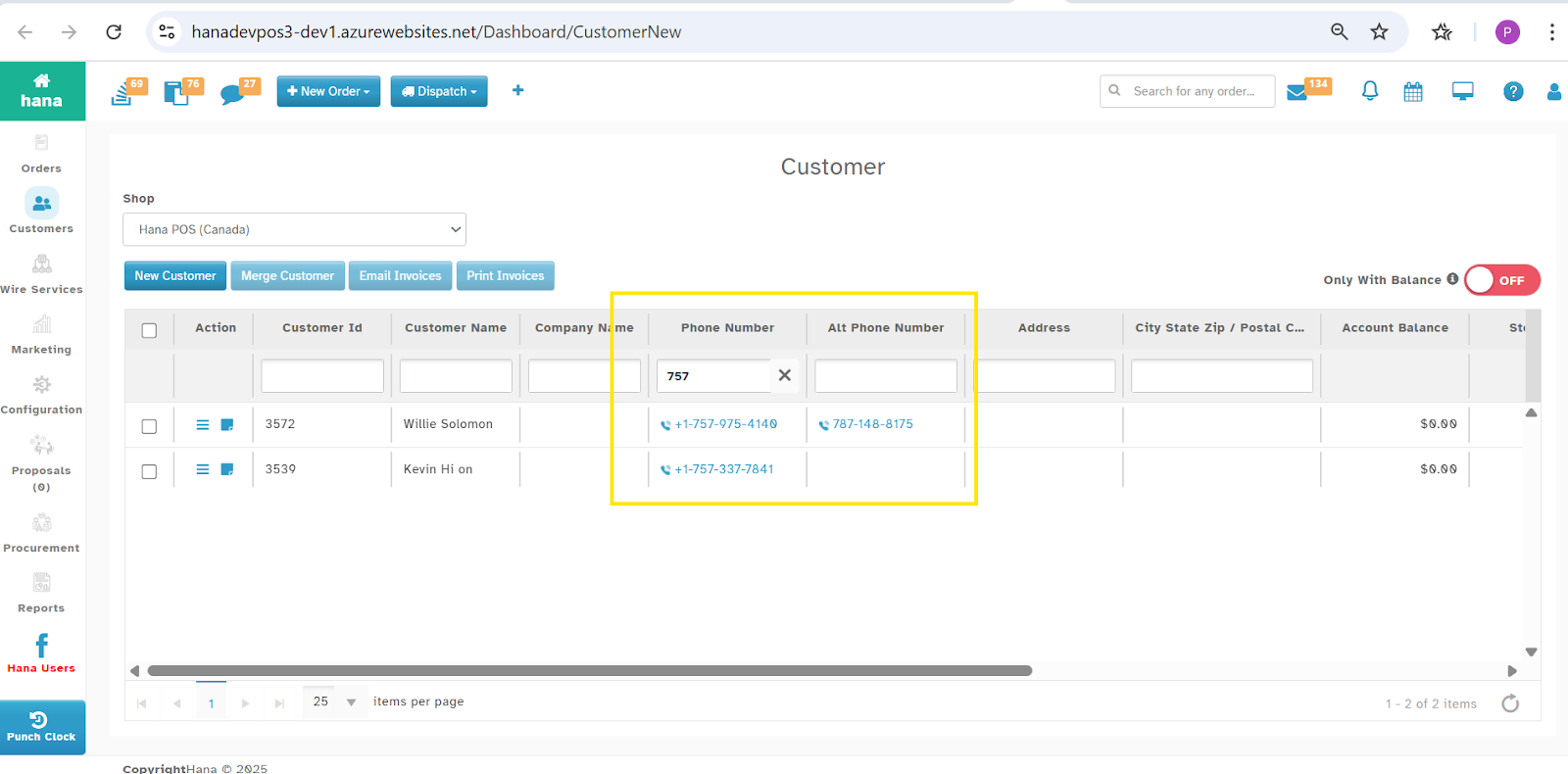
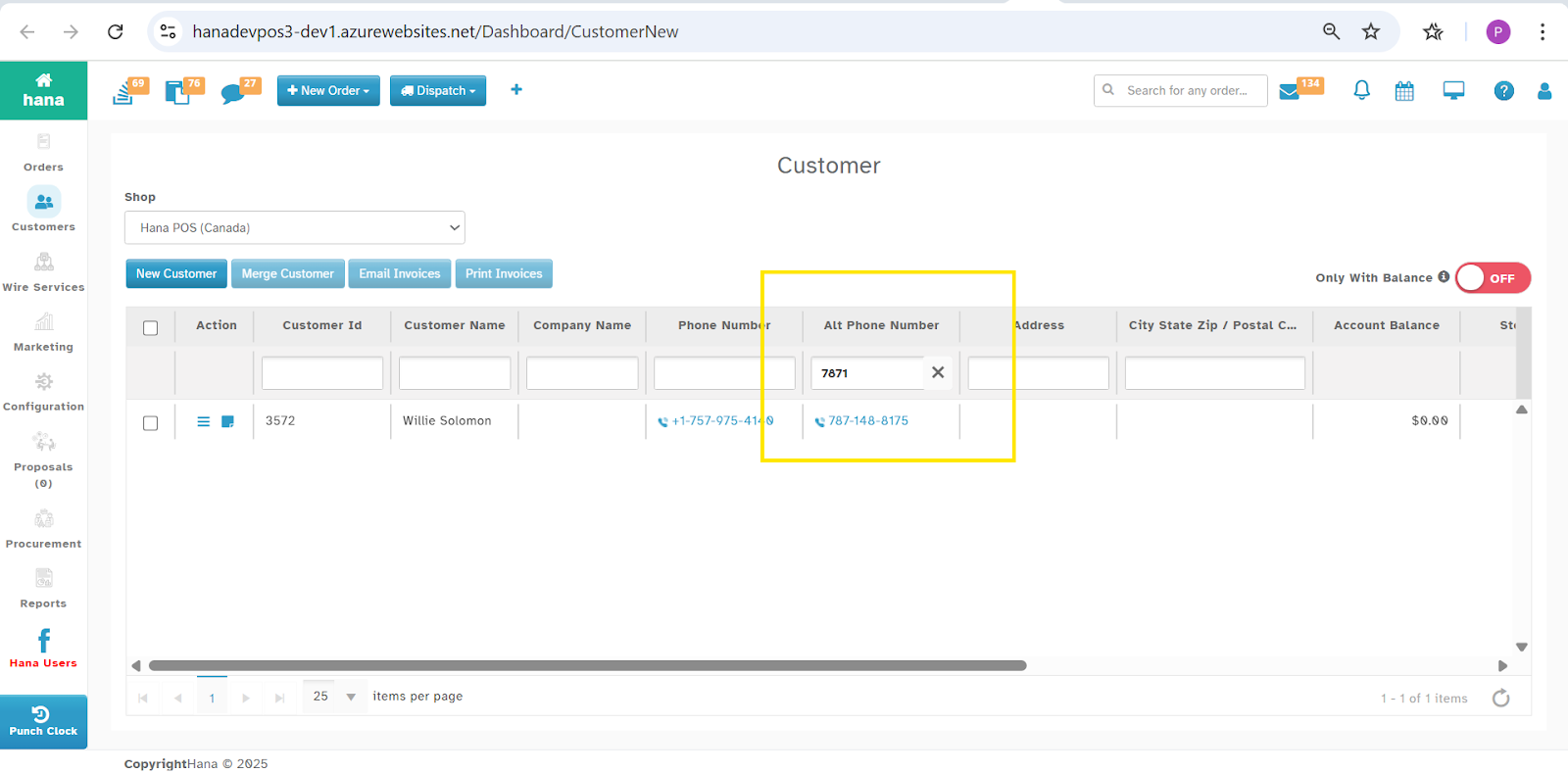
Enter the Phone Number / Alternate Phone Number in the Search box.
Why This Helps
This will allow the Florist to search the customer with their Primary Phone Number and Alternate Phone Number in Customer Management.
Customer Management - Searching with Phone Number:
Customer Management - Searching with Alt Phone Number
Was this article helpful?
That’s Great!
Thank you for your feedback
Sorry! We couldn't be helpful
Thank you for your feedback
Feedback sent
We appreciate your effort and will try to fix the article